For guests
Invited to an event on Rundivo?
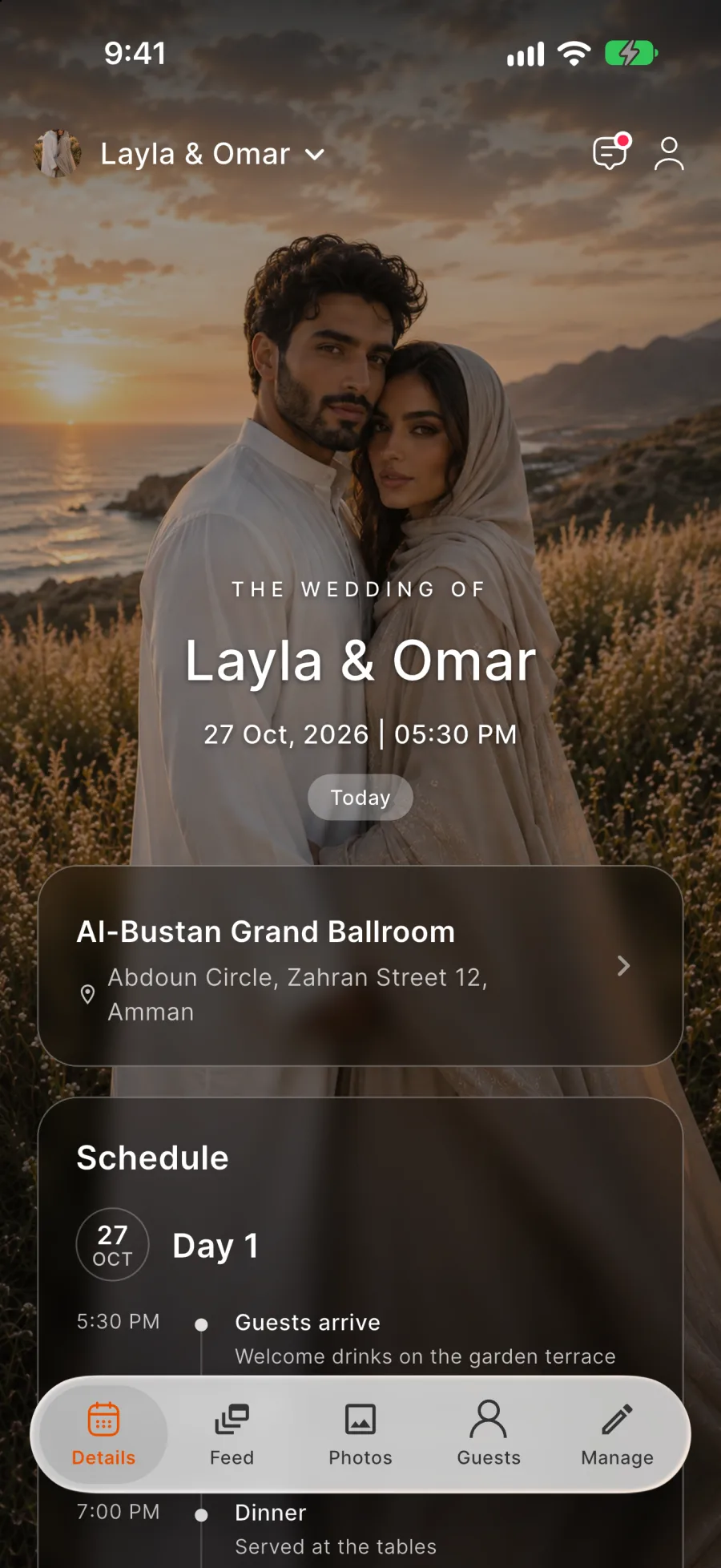
Open the host's link or QR code to see the invitation and reply. From there, the event opens in the app.
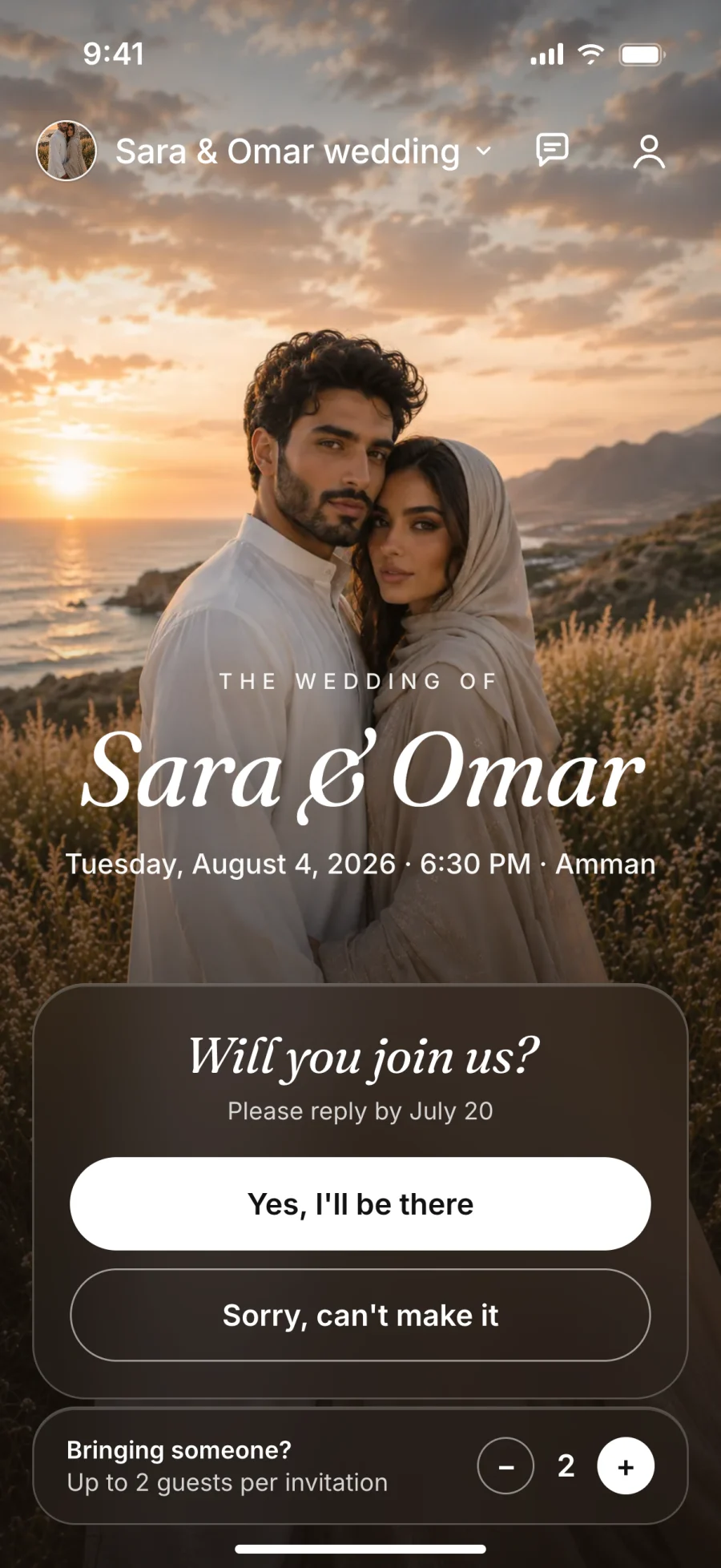
Reply in a few taps
Say whether you're coming and who you're bringing.
Event details
Time, venue with parking notes, your days of the programme and host updates.
Your ticket at the door
Show the QR code from the app, and buy tickets for the people you bring.
Plans changed?
Change your reply until the event starts. If you say No, you still see the photos and updates.
Replies
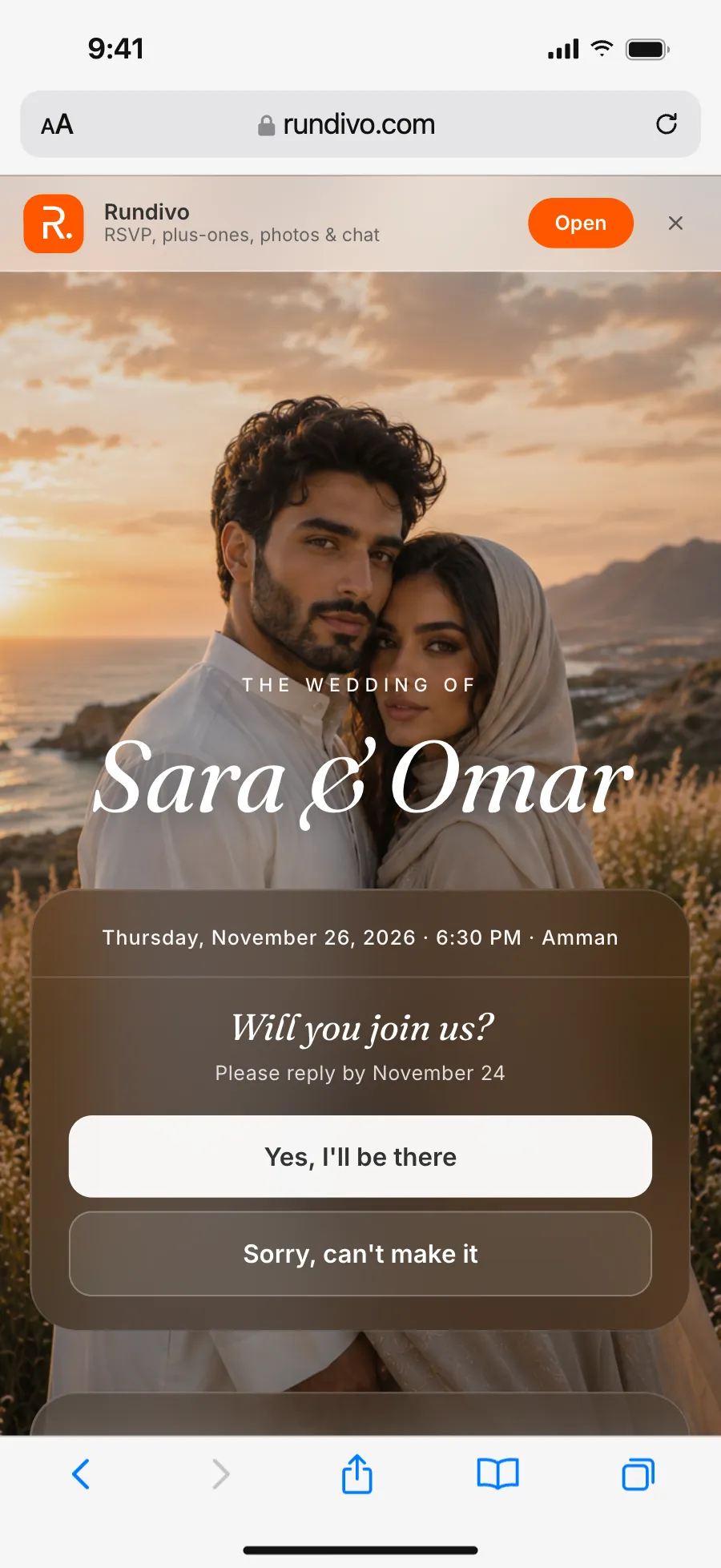
Reply in the browser, without installing anything
On invitation events the reply page opens on the web, plus-ones included.
Follow your request
Asked to bring more people? See whether the host approved all the seats or fewer.
Coming with fewer people
Lower the number yourself, and it changes straight away.
Event full?
Join the waiting list from the same page. The host adds people from it when a place opens.
Plus-ones without an account
The people you bring don't need the app or an account.
Programme
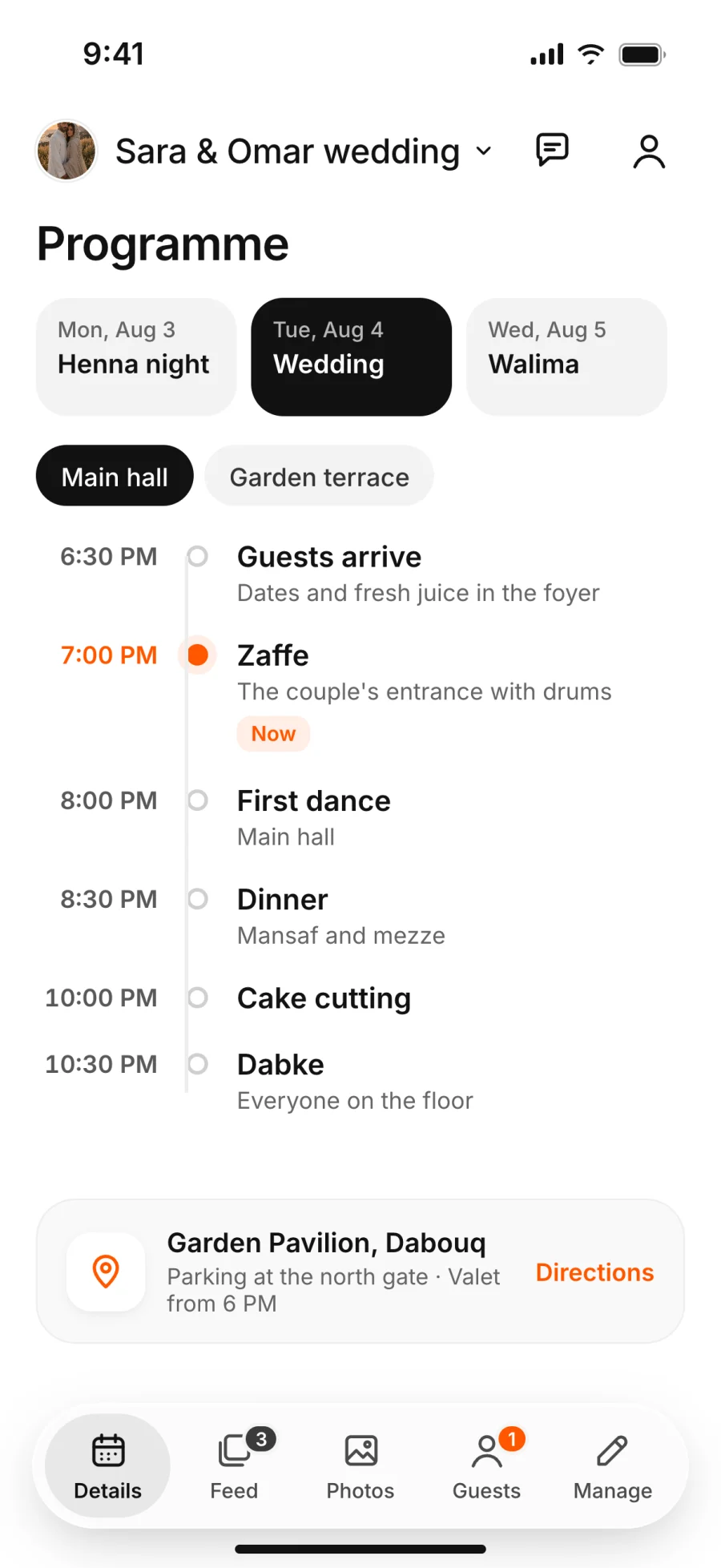
Your own programme for the event
When a celebration runs over several days, like a Henna night and a wedding, your programme lists your days with the date and time of each.
Changes reach you
When one of your days changes, you get a notification.
Add to calendar
Save the date and time to your phone's calendar.
Contact the host
Message the host straight from the event page.
Tickets
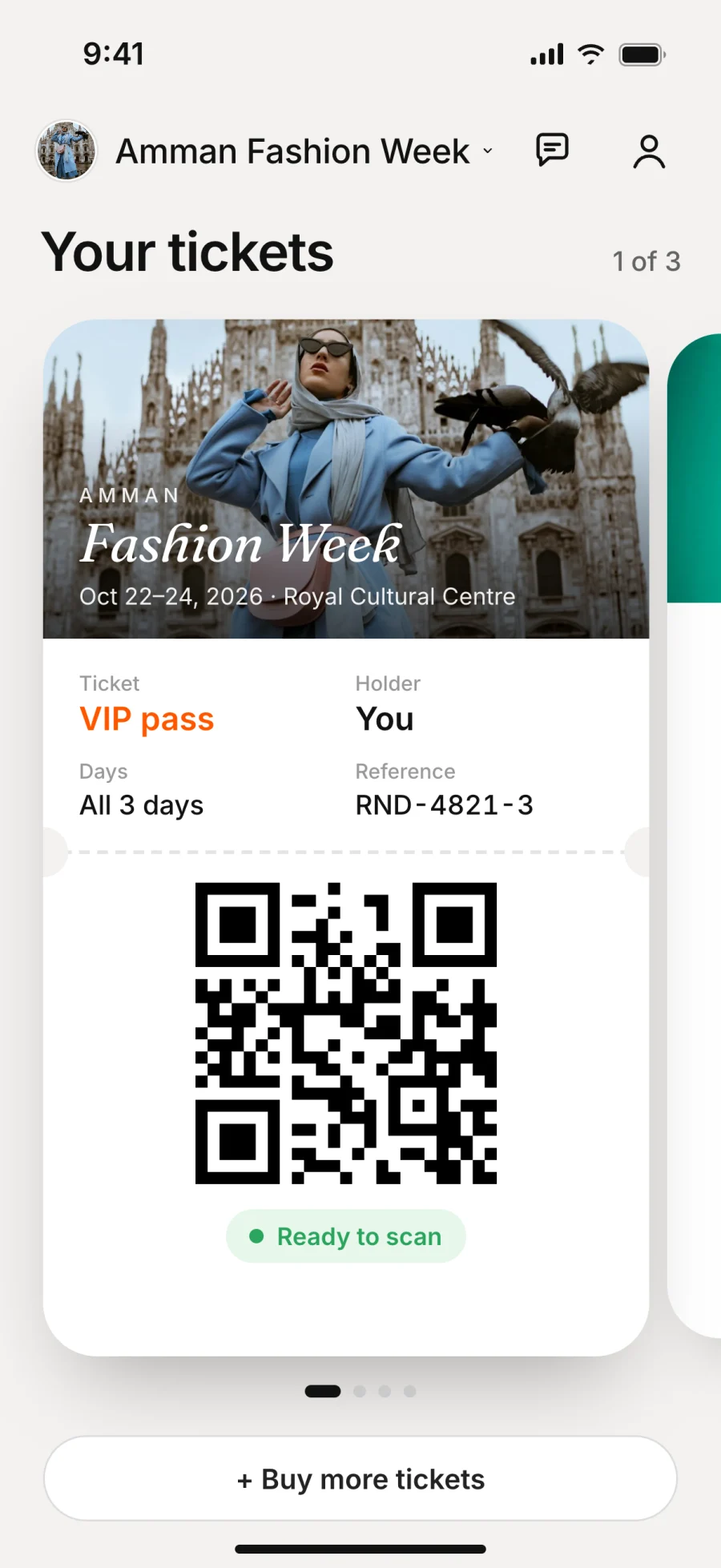
Your tickets stay in the app, each with a QR code for the door
On ticketed events, buying a ticket counts as your reply, so there's nothing else to fill in.
Refunds
Request one before the host's deadline, and the money goes back to your card automatically.
Pass a ticket on
Bought a ticket for someone who can't come? Move it to another person before the event.
Send a ticket as a link
Each ticket opens as a web page with its QR code, so the person you bought it for doesn't need the app.
Secure payment
You pay on the payment provider's secure page, so your card details never reach Rundivo.
Photos, feed and chat
The photos and the conversation stay inside the event
Only the event's guests can see them.
Albums
Add your photos to the albums the host opens for uploads.
Find your photos
When the host turns it on, add your face once and see the photos you appear in.
Ladies-only albums
Albums that only women guests can open.
Feed and messages
Post, react and comment in the feed, and message people from the same event.
Save photos
Download any photo you can see.















Privacy
Nobody can look you up on Rundivo
There is no people search and no public list of events.
Invite-only events
An event opens only from the host's link or QR code.
No location data
Rundivo never asks where you are and removes location data from the photos you upload.
Block and report
Block anyone, or report a person or an event to the Rundivo team. The host doesn't see your report.
FAQ
Questions guests ask us
How do I open a printed invitation?
Scan its QR code with your phone's camera, or with Join by QR in the app.
Can I buy tickets on the website?
No, tickets are bought in the app.
What happens if I leave an event?
It disappears from your account and you lose access to it. To keep following it without going, reply No instead.
Which languages is Rundivo in?
English, Arabic and Turkish.
Planning your own event? It starts with one link